Posts & Pages
FrankenCMS provides a flexible content management system for creating and managing posts and pages with the power of Laravel and FilamentPHP.
Understanding Content Types
FrankenCMS distinguishes between two main content types:
| Type | Use Case | Features |
|---|---|---|
| Posts | Blog articles, news, time-sensitive content | Categories, tags, publishing dates, author |
| Pages | Static content like About, Contact, Services | Hierarchical structure, custom templates, parent/child |
Creating a Post
To create a new post:
- Navigate to Franken CMS → Posts in the admin panel
- Click Create Post
- Fill in the required fields
- Set the status and publish date
- Click Create
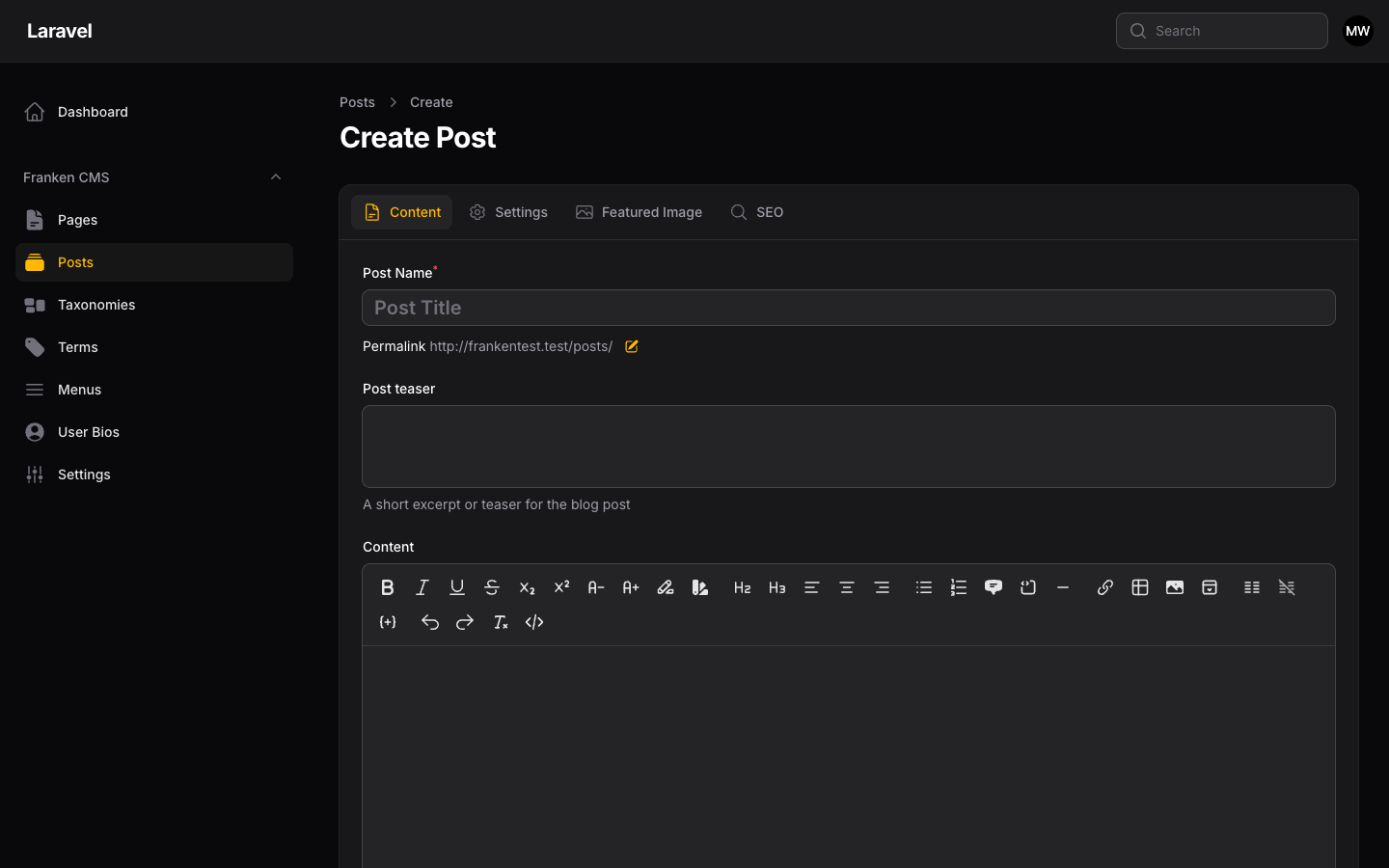
Create Post form showing title field, slug field, teaser, and rich editor for content.
Post Fields
| Field | Description |
|---|---|
| Title | The post title (required) |
| Slug | URL-friendly identifier (auto-generated from title) |
| Content | Main post content using rich editor |
| Teaser | Short excerpt for listings |
| Featured Image | Hero image for the post |
| Categories | One or more categories |
| Tags | Related tags |
| Status | Draft, Pending, Published, Private, Scheduled |
| Publish Date | When the post should be published |
Post Statuses
- Draft: Not visible to the public, work in progress
- Pending: Awaiting review before publishing
- Published: Live and visible to everyone
- Private: Only visible to logged-in users
- Scheduled: Will be published at a future date
Creating a Page
Pages work similarly to posts but are designed for static content:
- Navigate to Franken CMS → Pages
- Click Create Page
- Fill in the title and content
- Optionally select a parent page for hierarchy
- Choose a page template (if custom templates exist)
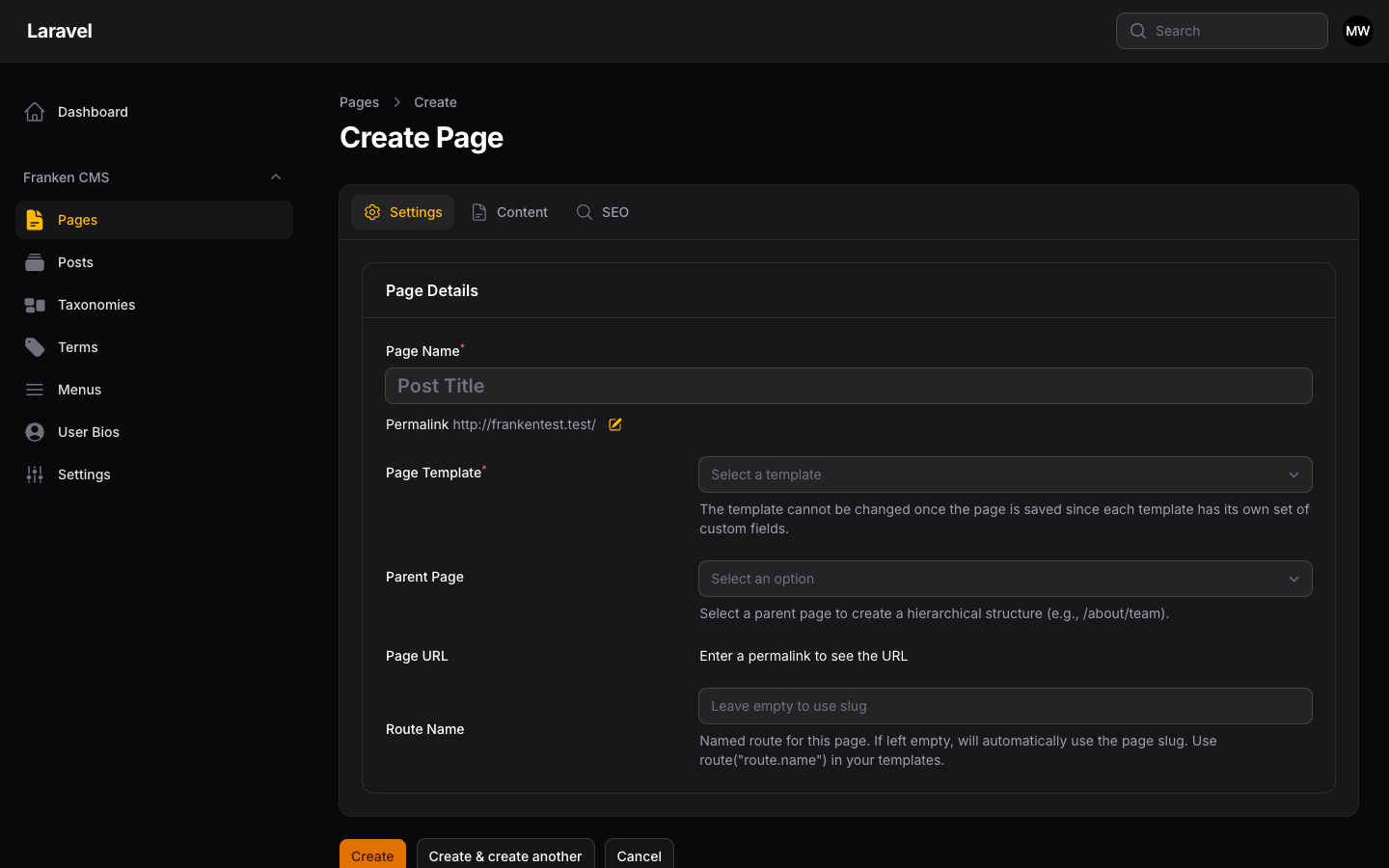
Screenshot: Create Page form with title, slug, content editor, parent page dropdown, template selection, and page order field.
Hierarchical Pages
Pages support parent-child relationships for creating structured navigation:
About Us (parent)
├── Our Team (child)
├── Our History (child)
└── Careers (child)
    ├── Engineering (grandchild)
    └── Marketing (grandchild)
Template Naming Conventions
FrankenCMS uses filename prefixes to match templates to content. Template files must follow these naming conventions to be recognized by the application:
| Template File | Matched To |
|---|---|
page.blade.php |
Default template for all pages |
page-{slug}.blade.php |
Page with a specific slug (e.g., page-home.blade.php for the "home" page) |
post.blade.php |
Default template for all posts |
post-{slug}.blade.php |
Post with a specific slug (e.g., post-featured.blade.php) |
page- or post- to be recognized by FrankenCMS. A file named home.blade.php will not be matched — it must be page-home.blade.php.
Templates are stored in your theme directory:
resources/views/theme/
├── page.blade.php           # Default page template
├── page-home.blade.php      # Matched to page with slug "home"
├── page-contact.blade.php   # Matched to page with slug "contact"
├── post.blade.php           # Default post template
└── post-featured.blade.php  # Matched to post with slug "featured"
FrankenCMS resolves templates in this order: slug-specific template first, then the default. For more on defining editable fields within templates, see Template Fields.
SEO Settings
Both posts and pages include comprehensive SEO settings:
- SEO Title: Custom title for search engines
- Meta Description: Description for search results
- Canonical URL: Preferred URL for the page
- Open Graph Image: Image for social sharing
- No Index: Exclude from search engines
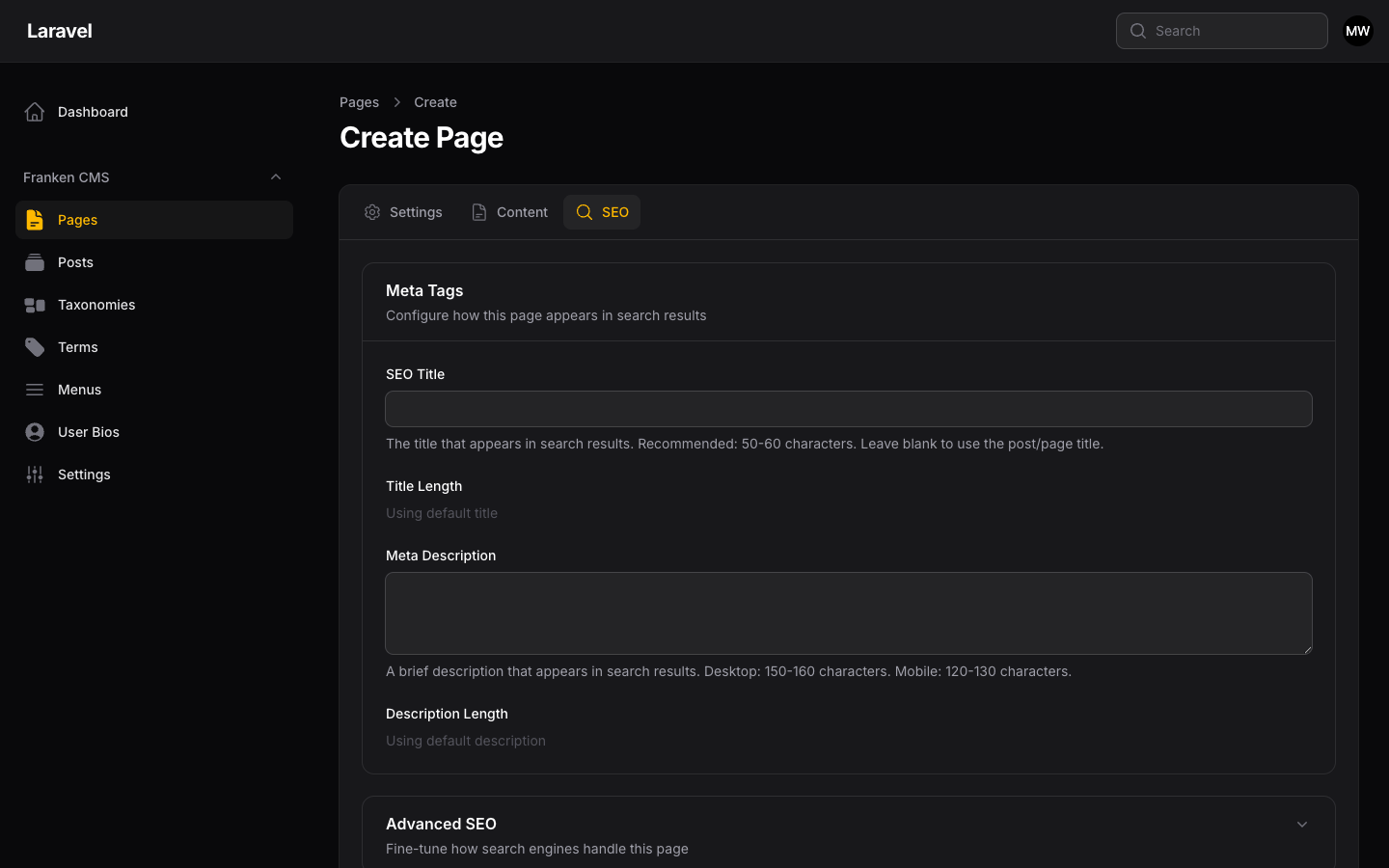
Screenshot: SEO Settings tab showing SEO Title, Meta Description, Open Graph settings, and indexing options.
Working with Posts & Pages in Code
FrankenCMS uses Eloquent models for all content. Here are the essentials:
use FrankenCms\Models\Post;
use FrankenCms\Models\Page;

// Get all published posts
$posts = Post::query()
    ->published()
    ->latest()
    ->get();

// Get a single post by slug
$post = Post::query()
    ->where('slug', 'my-first-post')
    ->firstOrFail();

// Get published pages ordered by menu position
$pages = Page::query()
    ->published()
    ->orderBy('menu_order')
    ->get();

// Get page URL (includes hierarchy, e.g. /about/our-team)
$url = $page->url;
Featured Images
@if($post->hasMedia('featured'))
    <img
        src="{{ $post->getFirstMediaUrl('featured', 'large') }}"
        alt="{{ $post->getFirstMedia('featured')->getCustomProperty('alt') }}"
    >
@endif
For the complete model API including all scopes, relationships, and attributes, see the API Reference.