SEO Tools
FrankenCMS includes comprehensive SEO tools to help your content rank better in search engines: per-page meta tags, site-wide defaults, generated Open Graph images, XML sitemaps, robots.txt, and breadcrumb structured data.
Per-Page SEO Settings
Every post and page has an SEO tab:
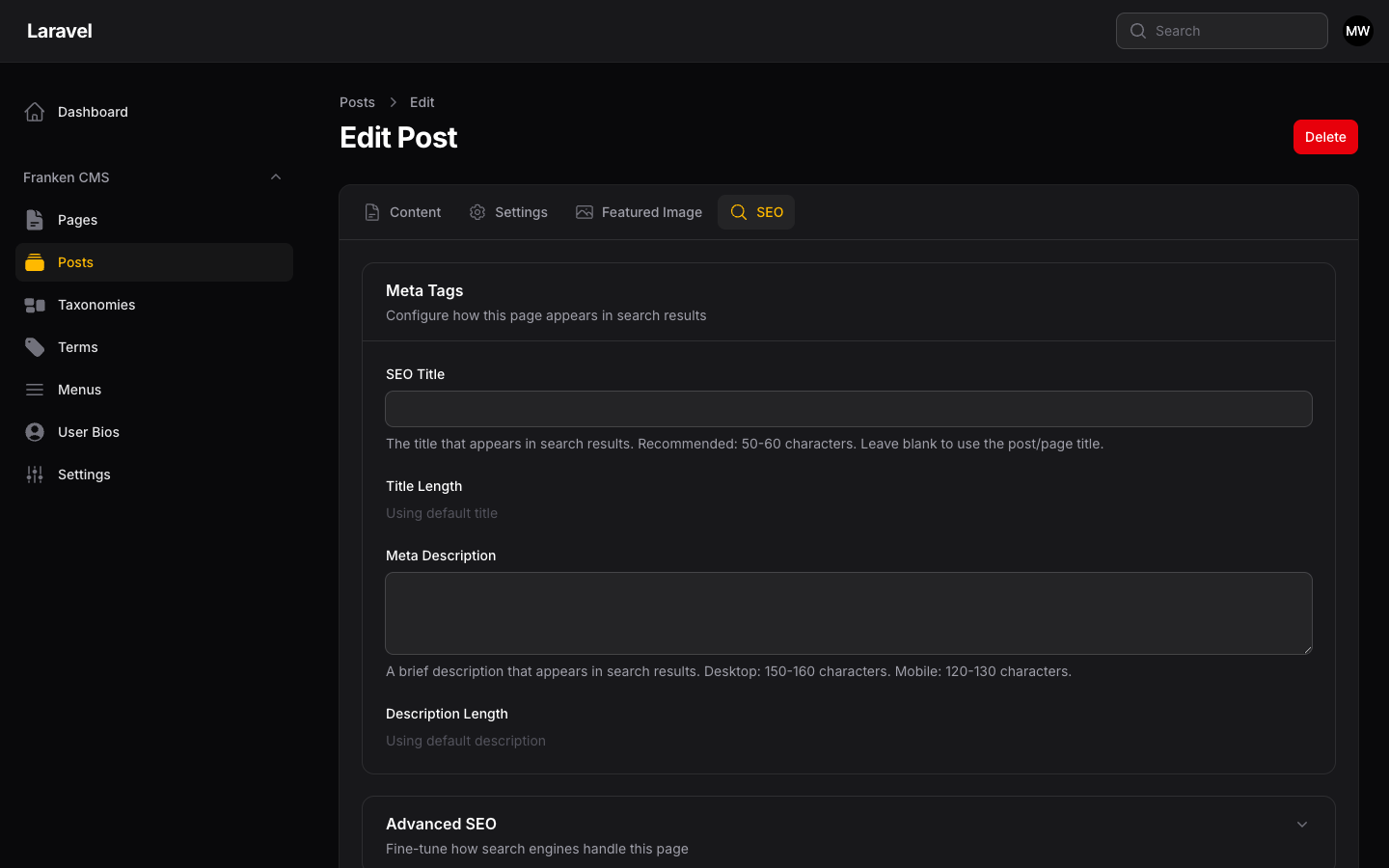
SEO tab in the post editor showing Meta Tags, SEO Title, Meta Description, Advanced SEO, and Social Media Sharing fields.
| Field | Description |
|---|---|
| SEO Title | Custom title for search results (falls back to the post title) |
| Meta Description | Description shown in search results |
| Canonical URL | Preferred URL for duplicate content |
| Index / Follow Setting | Per-page robots directives, overriding the site defaults |
| Social Media Title / Description / Image | Open Graph overrides used when the page is shared |
| Twitter Summary Card | Use a small square card (with its own image) instead of a large image card |
When AI integration is enabled, Ask Igor buttons next to the SEO title and meta description generate them from your content.
Site-Wide Defaults
CMS Settings → SEO holds the defaults every page falls back to: site name and tagline, default meta description, page title format, canonical and robots defaults, and social sharing (default social image, Open Graph type, Twitter handle).
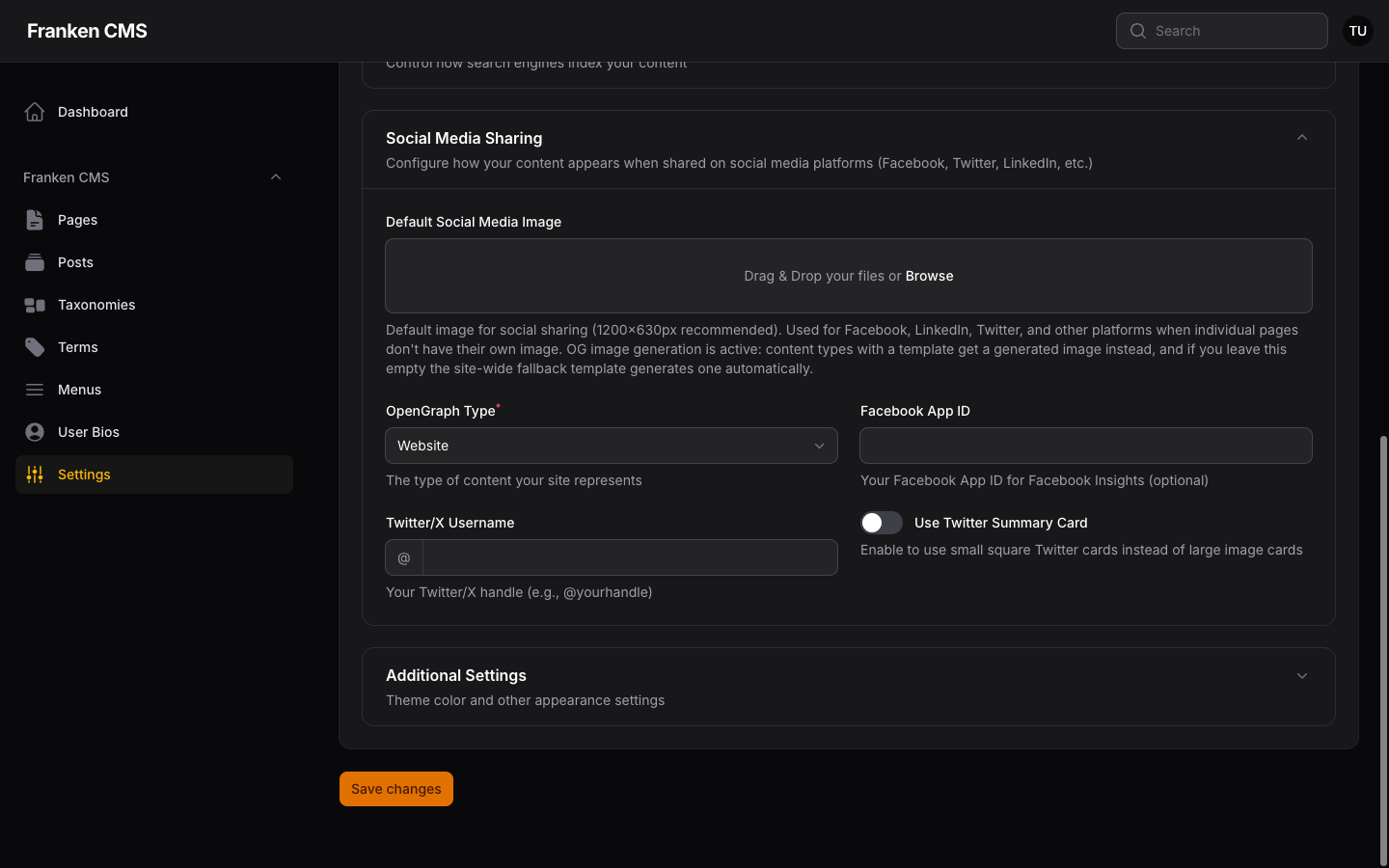
Social Media Sharing defaults. The help text shows whether OG image generation is active.
Outputting SEO Tags
FrankenCMS builds all head tags with Laravel's first-party
laravel/head package. Add @head to your theme
layout's <head>:
<head>
    <meta charset="utf-8">
    <meta name="viewport" content="width=device-width, initial-scale=1">

    @head

    @
</head>
What Gets Output
<title>Page Title | Site Name</title>
<meta name="description" content="Page description...">
<link rel="canonical" href="https://example.com/page">
<meta name="robots" content="index, follow">

<!-- Open Graph -->
<meta property="og:type" content="article">
<meta property="og:title" content="Page Title">
<meta property="og:description" content="Page description...">
<meta property="og:image" content="https://example.com/image.jpg">
<meta property="og:url" content="https://example.com/page">

<!-- Twitter Card -->
<meta name="twitter:card" content="summary_large_image">
<meta name="twitter:image" content="https://example.com/image.jpg">

<!-- Breadcrumb structured data -->
<script type="application/ld+json">
{
    "@context": "https://schema.org",
    "@type": "BreadcrumbList",
    ...
}
</script>
Overriding Defaults From Your App
Register application-level head defaults from a service provider's boot() method. They override
the CMS settings defaults field by field, and per-page values still win:
use FrankenCms\Http\Middleware\AddSeoDefaults;
use Laravel\Head\HeadBuilder;

public function boot(): void
{
    AddSeoDefaults::registering(function (HeadBuilder $head) {
        $head->description('Our default description');
    });
}
Open Graph Images
FrankenCMS can generate og:image and twitter:image previews for posts and pages
automatically, built on spatie/laravel-og-image.
It's opt-in. Without the package, per-post uploads and the site default image work exactly as before.
composer require spatie/laravel-og-image
The franken-cms:install command offers to install and wire it up for you.
Map Templates
Map Blade templates to post types in config/franken-cms.php. The mappings ship commented out,
so generation stays off until you enable them (publish the config first with
php artisan vendor:publish --tag=franken-cms-config):
'og_image' => [
    'templates' => [
        'post' => 'theme.og-templates.post',
        'page' => 'theme.og-templates.page',
    ],
],
Each template is a plain Blade view rendered on a 1200×630 canvas and receives $post. Don't
wrap it in <x-og-image> yourself. Then add the component to your theme layout before
</body>:
<x-franken-og-image />
The example theme ships ready-made designs in theme/og-templates/: a "specimen card" for posts,
a "dossier card" for pages, and a fallback "transmission card". They're self-contained, scale the title to
its length, and honor each image's focal point.
Resolution Order
For each page, the image is resolved in this order:
- The image uploaded on the post's SEO tab
- The template mapped to its post type
- The site default social image
- The site-wide fallback template (opt-in via
og_image.default_template)
Posts that use the Twitter summary card keep the classic manually-uploaded image tags. Append
?ogimage to any page URL to preview its generated image. The image URL contains a content hash,
so design changes bust caches automatically.
Rendering Environment
Generation needs Chrome and Node on the server:
npm install puppeteer
npx puppeteer browsers install chrome
Alternatively, render through Cloudflare's Browser Rendering API:
CLOUDFLARE_API_TOKEN=
CLOUDFLARE_ACCOUNT_ID=
myapp.test. Use local Chrome in development and enable Cloudflare
in deployed environments.
OG generation is scoped to CMS-managed pages. For hand-coded routes, use <x-og-image>
directly as described in Spatie's documentation.
XML Sitemaps
FrankenCMS serves a sitemap index at /sitemap.xml that links to:
/sitemap-pages.xml— published pages/sitemap-posts.xml— published posts, optionally with their featured images/sitemap-routes.xml— your application's own static routes (see below)- Any custom sitemaps you list in settings
Configure it under CMS Settings → Sitemap: default change frequency and priority, maximum URLs per sitemap, excluded paths, custom sitemaps, featured images, and the App Routes Sitemap toggle.
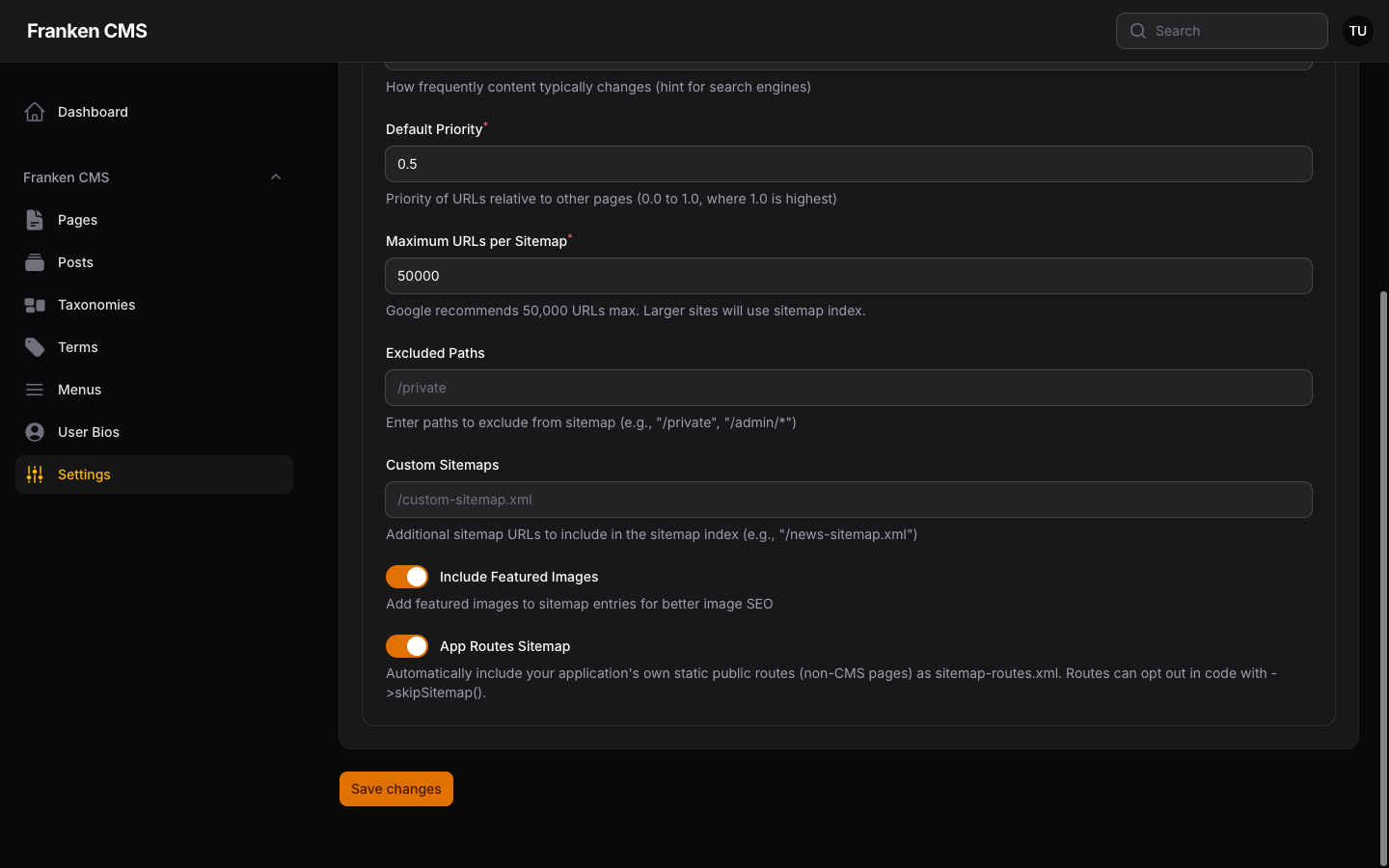
Sitemap settings, including the App Routes Sitemap toggle.
App Routes Sitemap
sitemap-routes.xml covers the pages you define in routes/web.php outside the CMS.
It's enabled by default. A route is included automatically when it's a static GET route with no
URI parameters, uses the web middleware, has no domain restriction, and is not:
- a vendor route (Filament, Livewire, Horizon, Telescope, Debugbar, Pulse)
- gated behind
auth,guest,verified,signed, orpassword.confirm - a
Route::redirect() - a FrankenCMS route or a CMS page route (those are already in the content sitemaps)
Override the automatic choice per route:
// Force-include a route the heuristics would skip, optionally with metadata
Route::middleware(['web', 'auth'])
    ->get('/members/welcome', WelcomeController::class)
    ->sitemap(priority: 0.9, changeFrequency: 'monthly');

// Exclude a route the heuristics would include
Route::view('/internal-demo', 'demo')->skipSitemap();
The Excluded Paths setting always wins, even over ->sitemap(). Gate detection
is based on middleware aliases, so routes protected by policies or custom middleware should use
->skipSitemap() explicitly.
Robots.txt
FrankenCMS serves /robots.txt, configured under CMS Settings → Robots.txt. A static public/robots.txt file takes precedence.
User-agent: *
Allow: /

Sitemap: https://example.com/sitemap.xml
Breadcrumbs
Breadcrumbs are built with daikazu/breadcrumbs, installed automatically with FrankenCMS. Trails are registered for the home page, pages (including parent pages), the blog, posts, and taxonomy archives. Render them in your theme with the component:
<x-breadcrumbs class="py-4 text-sm" />
The same trail is emitted as BreadcrumbList JSON-LD in the page head. To add trails for your own
routes, define them in routes/breadcrumbs.php, which FrankenCMS loads automatically.
Programmatic SEO
SeoService resolves the values FrankenCMS outputs for a post, applying per-page overrides and site
defaults. Use it when you need the same values elsewhere, for example in a JSON API:
use FrankenCms\Services\SeoService;

$seo = app(SeoService::class);

$seo->getTitle($post);          // SEO title, falling back to the post title
$seo->getDescription($post);    // Meta description, falling back to the site default
$seo->getCanonicalUrl($post);
$seo->getRobotsContent($post);  // e.g. "index, follow"
$seo->getOgImage($post);