Taxonomies
Organize your content with flexible taxonomies including categories, tags, and custom taxonomy types.
Understanding Taxonomies
FrankenCMS supports two types of taxonomies out of the box:
| Type | Use Case | Hierarchy |
|---|---|---|
| Categories | Broad content groupings | Hierarchical (parent/child) |
| Tags | Specific topics and keywords | Flat (no hierarchy) |
Creating Categories
- Navigate to Franken CMS → Taxonomies
- Click Create Taxonomy
- Select Category as the type
- Enter the name and slug
- Optionally select a parent category
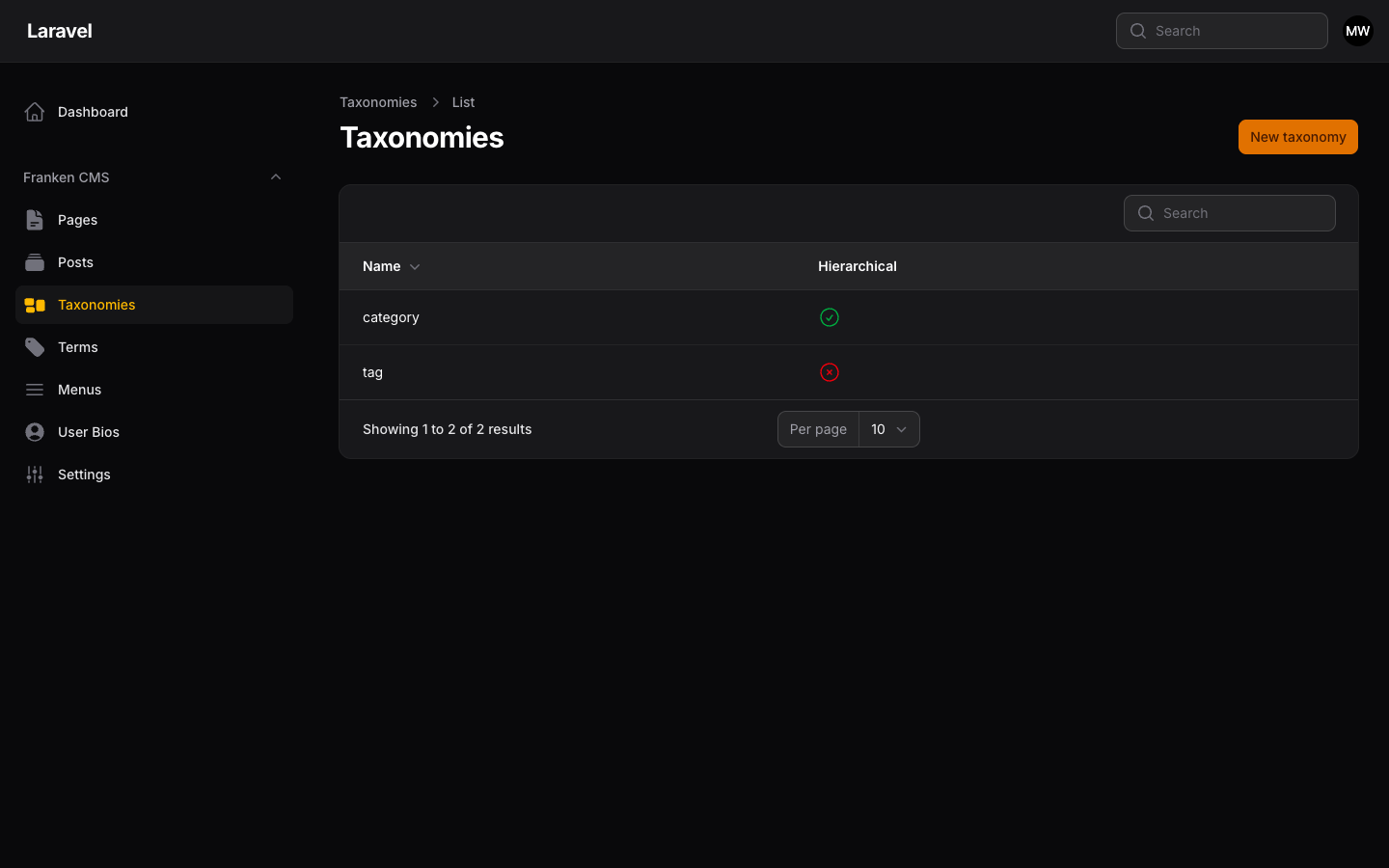
Taxonomy management showing Category and Tag types with hierarchical indicators.
Creating Tags
Tags work similarly but don't support parent-child relationships:
- Navigate to Franken CMS → Taxonomies
- Click Create Taxonomy
- Select Tag as the type
- Enter the name and slug
Assigning Taxonomies to Posts
When editing a post, you can assign categories and tags in the sidebar:
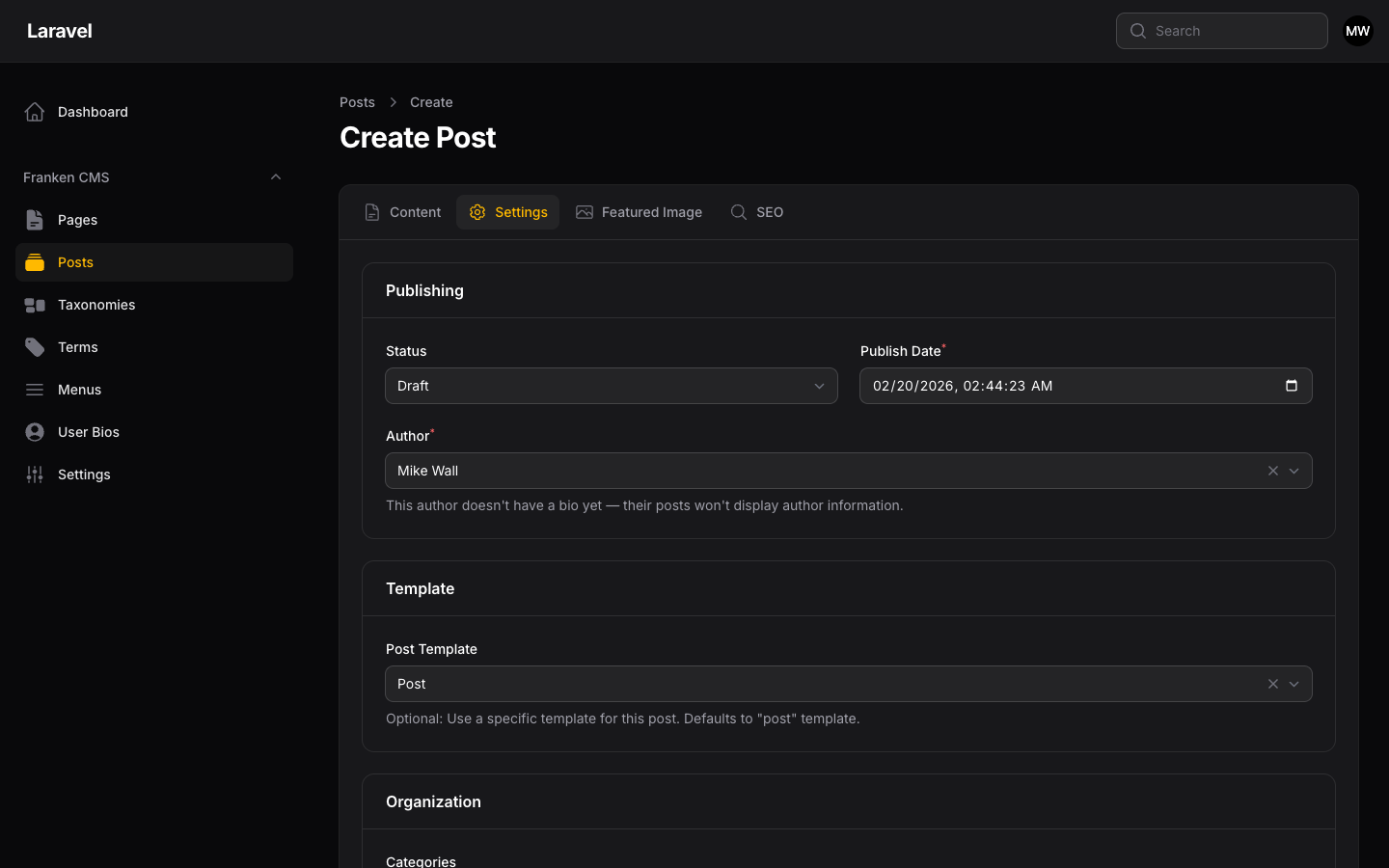
Post editor Settings tab showing publishing options, template selection, and category/tag assignment.
Working with Taxonomies in Code
Getting Terms for a Post
use FrankenCms\Models\Post;

$post = Post::find(1);

// Get all terms (categories and tags)
$terms = $post->terms;

// Get only categories
$categories = $post->categories;

// Get only tags
$tags = $post->tags;
Querying Posts by Taxonomy
use FrankenCms\Models\Post;

// Posts in a specific category
$posts = Post::query()
    ->published()
    ->whereHas('terms', function ($query) {
        $query->where('slug', 'tutorials');
    })
    ->get();

// Posts with a specific tag
$posts = Post::query()
    ->published()
    ->whereHas('tags', function ($query) {
        $query->where('slug', 'laravel');
    })
    ->get();
Getting All Terms
use FrankenCms\Models\Term;
use FrankenCms\Models\Taxonomy;

// Get all categories
$categories = Term::query()
    ->whereHas('taxonomy', function ($query) {
        $query->where('slug', 'category');
    })
    ->get();

// Get all tags
$tags = Term::query()
    ->whereHas('taxonomy', function ($query) {
        $query->where('slug', 'tag');
    })
    ->get();
Displaying Taxonomies in Templates
@if($post->categories->count() > 0)
    <div class="categories">
        @foreach($post->categories as $category)
            <a href="{{ $category->url }}">{{ $category->name }}</a>
        @endforeach
    </div>
@endif


@if($post->tags->count() > 0)
    <div class="tags">
        @foreach($post->tags as $tag)
            <a href="{{ $tag->url }}" class="tag">{{ $tag->name }}</a>
        @endforeach
    </div>
@endif
Taxonomy Archives
FrankenCMS automatically creates archive pages for each taxonomy term. Access them at:
/category/{slug}- Category archives/tag/{slug}- Tag archives