Posts & Pages
FrankenCMS provides a flexible content management system for creating and managing posts and pages with the power of Laravel and FilamentPHP.
Understanding Content Types
FrankenCMS distinguishes between two main content types:
| Type | Use Case | Features |
|---|---|---|
| Posts | Blog articles, news, time-sensitive content | Categories, tags, publishing dates, author |
| Pages | Static content like About, Contact, Services | Hierarchical structure, custom templates, parent/child |
Creating a Post
To create a new post:
- Navigate to Franken CMS → Posts in the admin panel
- Click Create Post
- Fill in the required fields
- Set the status and publish date
- Click Create
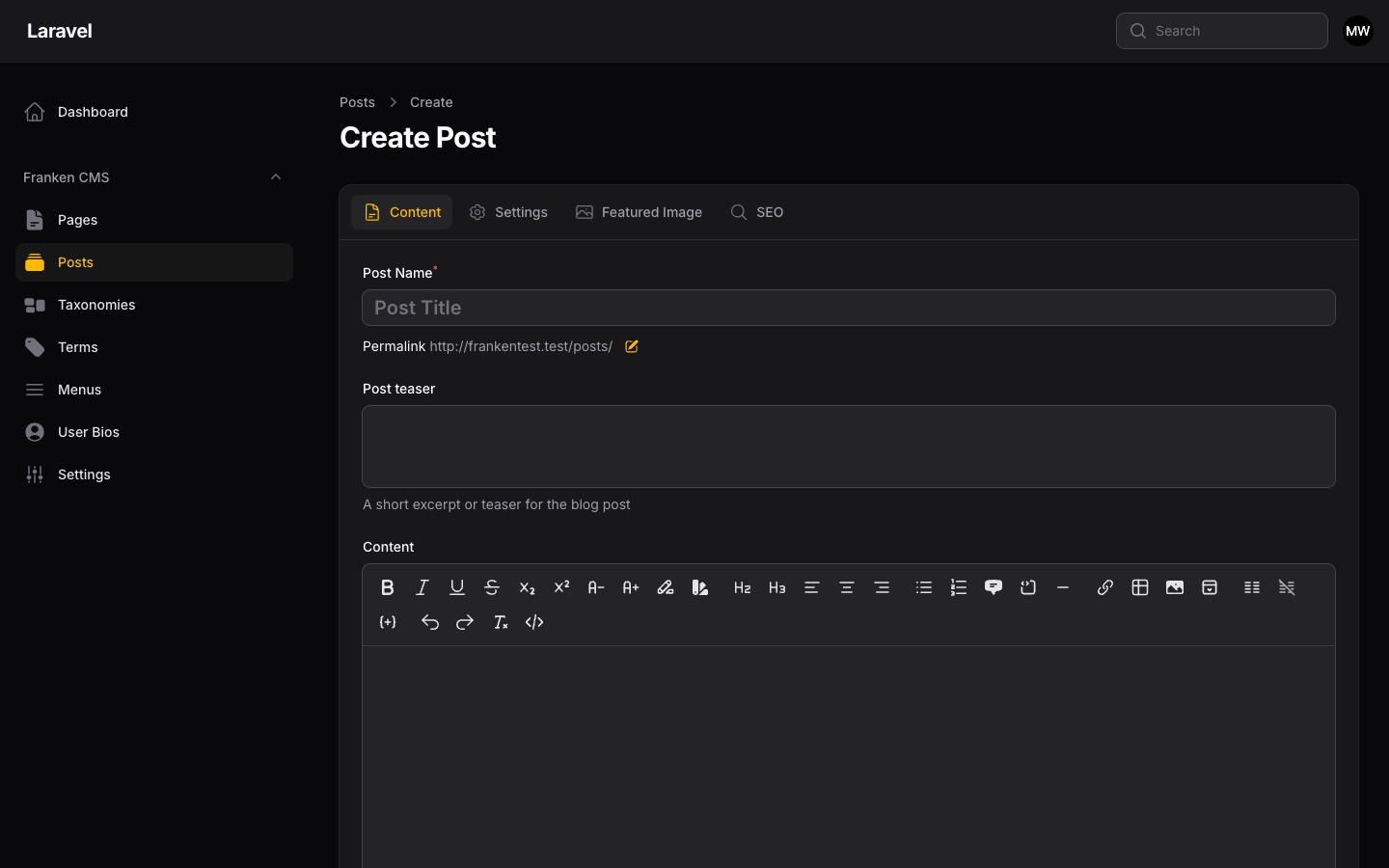
Create Post form showing title field, slug field, teaser, and rich editor for content.
Post Fields
| Field | Description |
|---|---|
| Title | The post title (required) |
| Slug | URL-friendly identifier (auto-generated from title) |
| Content | Main post content using rich editor |
| Teaser | Short excerpt for listings (Igor can generate it) |
| Featured Image | Hero image for the post, with a focal point; Igor can generate one on existing posts |
| Categories | One or more categories |
| Tags | Related tags |
| Status | Draft, Pending, Published, Private, Scheduled |
| Publish Date | When the post should be published |
Post Statuses
- Draft: Not visible to the public, work in progress
- Pending: Awaiting review before publishing
- Published: Live and visible to everyone
- Private: Only visible to logged-in users
- Scheduled: Will be published at a future date
Creating a Page
Pages work similarly to posts but are designed for static content:
- Navigate to Franken CMS → Pages
- Click Create Page
- Fill in the title and content
- Optionally select a parent page for hierarchy
- Choose a page template (if custom templates exist)
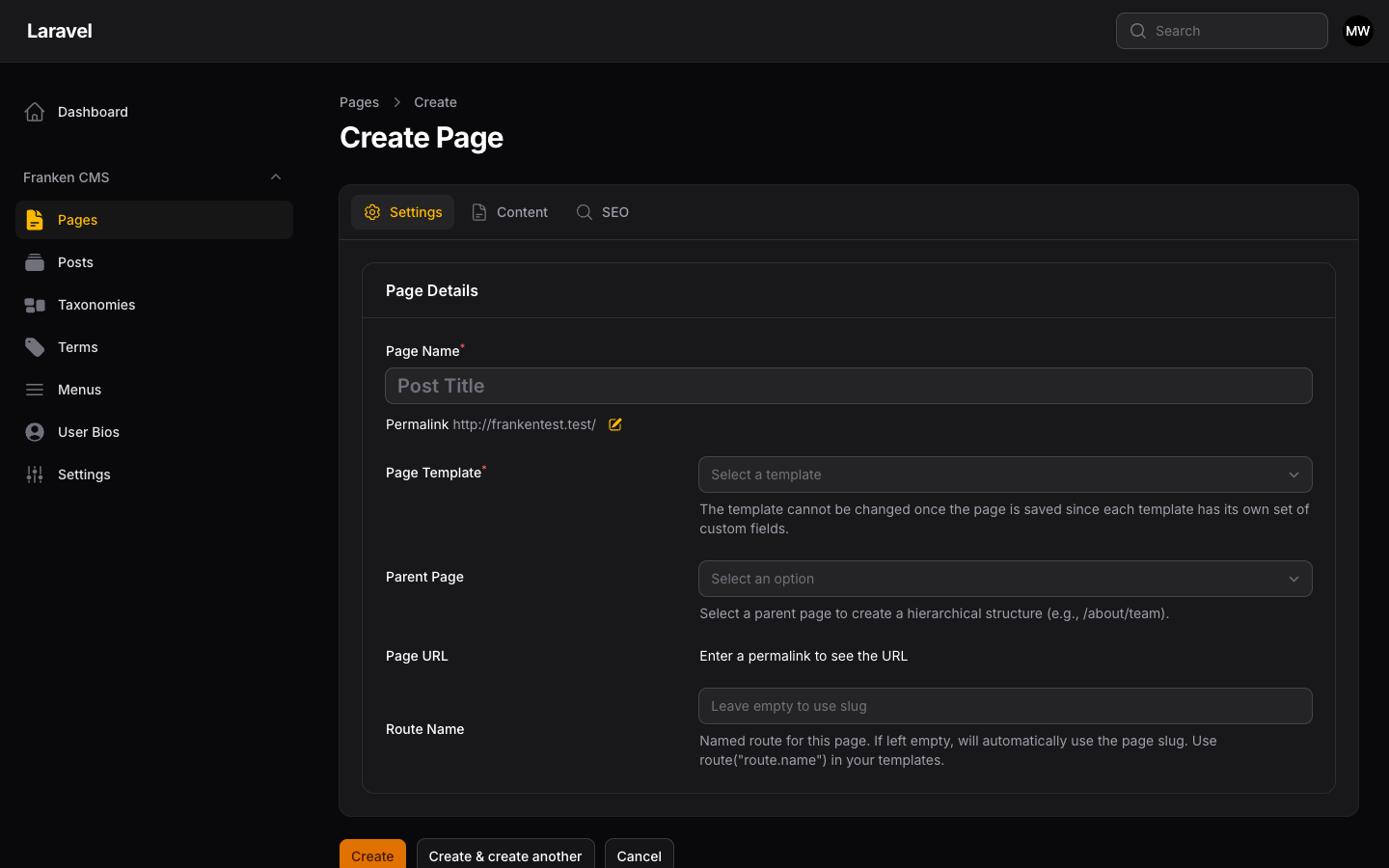
Screenshot: Create Page form with title, slug, content editor, parent page dropdown, template selection, and page order field.
Hierarchical Pages
Pages support parent-child relationships for creating structured navigation:
About Us (parent)
├── Our Team (child)
├── Our History (child)
└── Careers (child)
    ├── Engineering (grandchild)
    └── Marketing (grandchild)
Template Naming Conventions
Each post and page has a Template setting. The list is built from the Blade files in your theme folder, and the filename prefix decides which list a file appears in:
| Template File | Available For |
|---|---|
page-{name}.blade.php |
Pages (e.g. page-home.blade.php appears as "Page Home") |
post.blade.php |
Posts; the default post template |
post-{name}.blade.php |
Posts (e.g. post-feature.blade.php) |
home.blade.php won't appear in either list. Name it
page-home.blade.php.
Templates are stored in your theme directory:
resources/views/theme/
├── page-home.blade.php      # Page template "Page Home"
├── page-contact.blade.php   # Page template "Page Contact"
├── page-blog.blade.php      # Used for the blog listing page
├── post.blade.php           # Default post template
├── post-feature.blade.php   # Alternative post template
└── archive.blade.php        # Category and tag archives
A post without a template uses post.blade.php. Taxonomy archives use
archive-{taxonomy}.blade.php when it exists, otherwise archive.blade.php. Templates can
also be Livewire page components. For
editable fields within templates, see
Template Fields.
SEO Settings
Both posts and pages include comprehensive SEO settings:
- SEO Title: Custom title for search engines
- Meta Description: Description for search results
- Canonical URL: Preferred URL for the page
- Open Graph Image: Image for social sharing
- No Index: Exclude from search engines
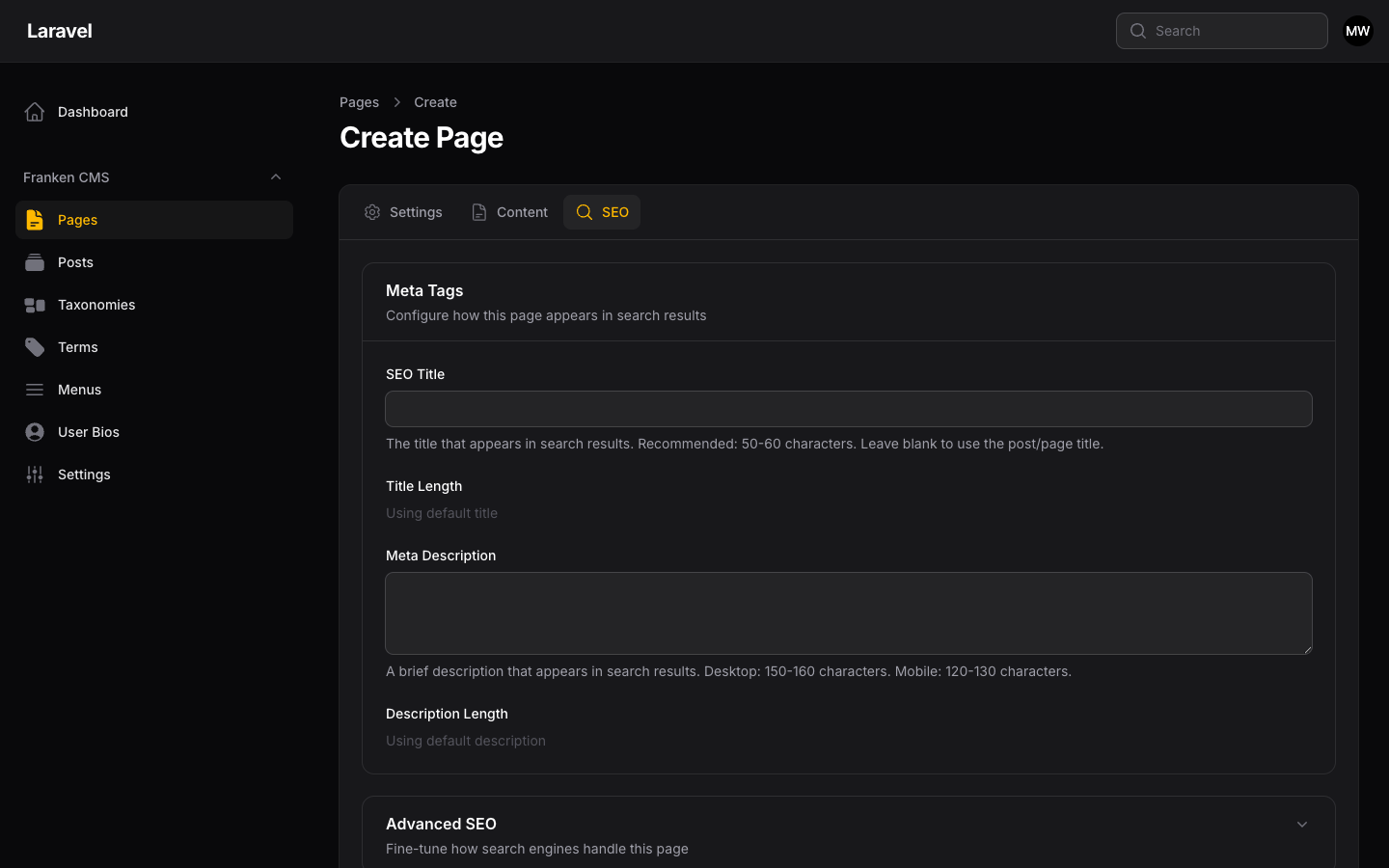
Screenshot: SEO Settings tab showing SEO Title, Meta Description, Open Graph settings, and indexing options.
Working with Posts & Pages in Code
FrankenCMS uses Eloquent models for all content. Here are the essentials:
use FrankenCms\Models\Post;
use FrankenCms\Models\Page;

// Get all published posts
$posts = Post::query()
    ->published()
    ->latest()
    ->get();

// Get a single post by slug
$post = Post::query()
    ->where('slug', 'my-first-post')
    ->firstOrFail();

// Get published pages ordered by menu position
$pages = Page::query()
    ->published()
    ->orderBy('menu_order')
    ->get();

// Get page URL (includes hierarchy, e.g. /about/our-team)
$url = $page->url;
Featured Images
@if($post->hasMedia('featured'))
    <img
        src="{{ $post->getFirstMediaUrl('featured', 'featured') }}"
        alt="{{ $post->getFirstMedia('featured')->getCustomProperty('alt') }}"
    >
@endif
For the complete model API including all scopes, relationships, and attributes, see the API Reference.