Menu Builder
FrankenCMS includes a powerful visual menu builder that allows you to create and manage navigation menus with drag-and-drop functionality.
Creating a Menu
- Navigate to Franken CMS → Menus
- Click Create Menu
- Enter a name and slug for your menu
- Click Create
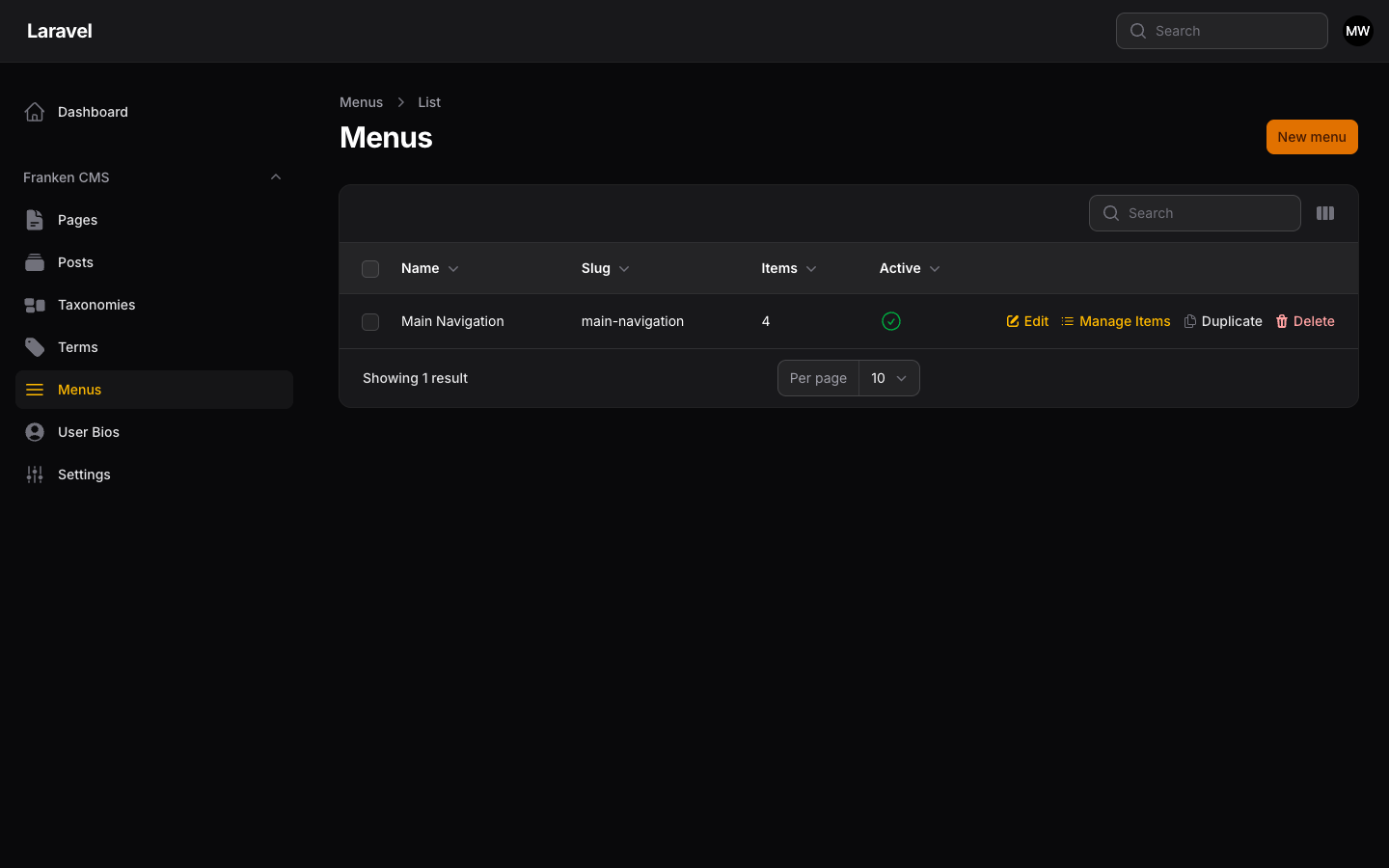
Menu list showing the Main Navigation menu with item count.
Adding Menu Items
After creating a menu, click Manage Items to add navigation links:
Item Types
| Type | Description |
|---|---|
| Page Link | Link to an existing page in your CMS |
| Post Link | Link to an existing post |
| Custom URL | Any external or custom URL |
| Category Link | Link to a taxonomy term archive |
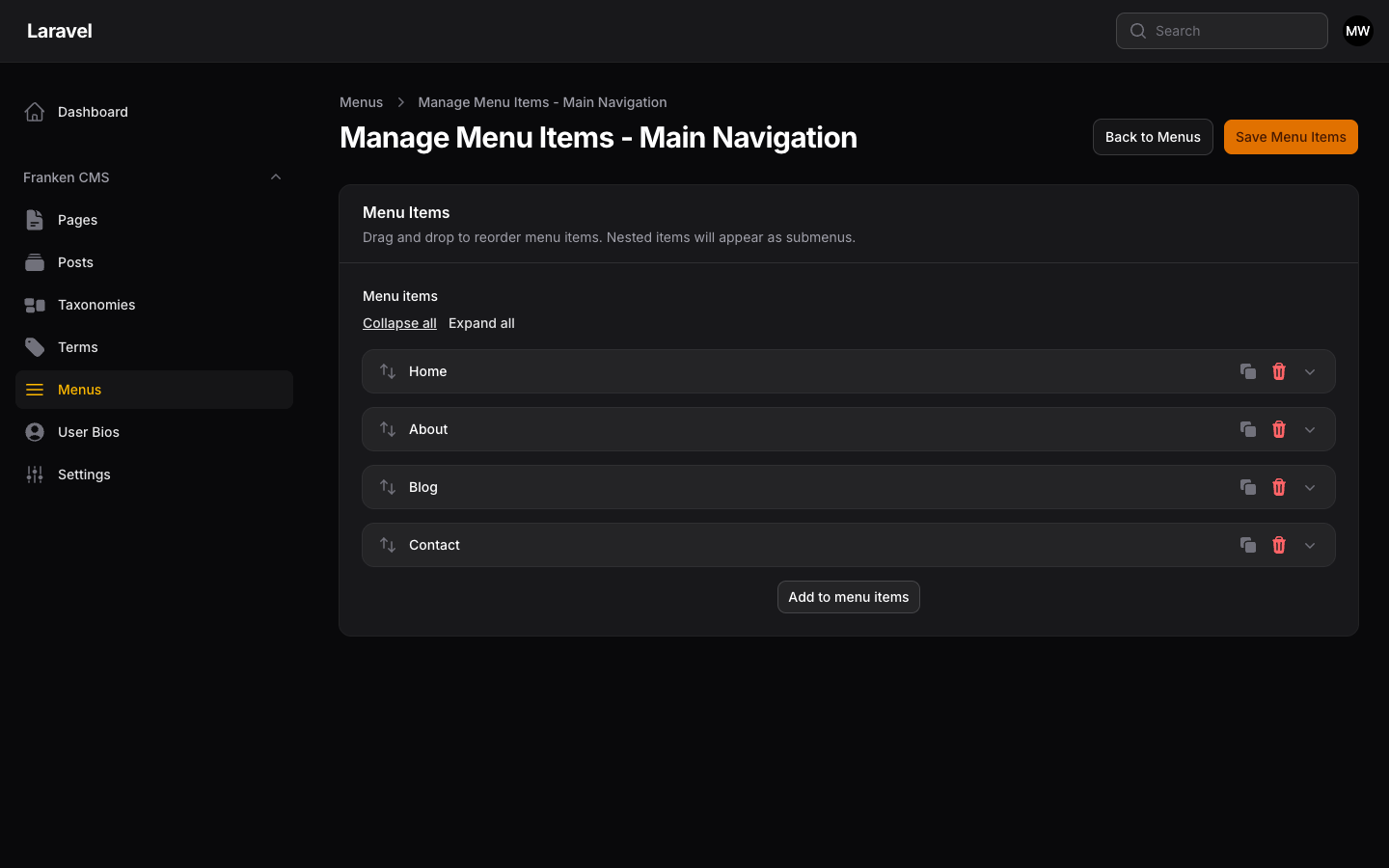
Menu item builder showing the drag-and-drop interface with Home, About, Blog, and Contact items.
Menu Item Options
- Label: Text displayed in the navigation
- URL/Link: Destination (auto-filled for page/post links)
- Target: Open in same window or new tab
- CSS Classes: Custom classes for styling
- Icon: Optional icon (if your theme supports it)
Nesting Menu Items
Create dropdown menus by dragging items to nest them under a parent:
Home
About
  ├── Our Team
  ├── Our History
  └── Careers
Services
  ├── Consulting
  └── Development
Contact
Displaying Menus in Templates
Use the @menu directive to render menus in your templates:
Basic Usage
@menu('main-navigation')


@menu('main-navigation', 'theme.partials.nav')
Using the Menu Service
For more control, use the MenuService directly:
use FrankenCms\Services\MenuService;

// In a controller or service provider
$menuService = app(MenuService::class);
$menu = $menuService->getMenu('main-navigation');

// Access menu items
foreach ($menu->items as $item) {
    echo $item->label;

    // Check for children
    if ($item->children->count() > 0) {
        foreach ($item->children as $child) {
            echo $child->label;
        }
    }
}
Custom Menu Template
Create a custom menu template for complete control:
@php
    $menuService = app(\FrankenCms\Services\MenuService::class);
    $menu = $menuService->getMenu('main-navigation');
@endphp

<nav class="main-nav">
    <ul class="nav-list">
        @foreach($menu->items as $item)
            <li class="nav-item {{ $item->children->count() ? 'has-dropdown' : '' }}">
                <a
                    href="{{ $item->url }}"
                    target="{{ $item->target ?? '_self' }}"
                    class="{{ $item->css_classes }}"
                >
                    {{ $item->label }}
                </a>

                @if($item->children->count() > 0)
                    <ul class="dropdown">
                        @foreach($item->children as $child)
                            <li>
                                <a href="{{ $child->url }}">
                                    {{ $child->label }}
                                </a>
                            </li>
                        @endforeach
                    </ul>
                @endif
            </li>
        @endforeach
    </ul>
</nav>
Menu Caching
Menus are automatically cached for performance. The default cache duration is 1 hour (3600 seconds).
Configuration
// Cache menus for 1 hour
'menu_cache' => 3600,

// Disable caching (not recommended for production)
'menu_cache' => 0,
Clearing the Cache
The menu cache is automatically cleared when:
- A menu is created, updated, or deleted
- Menu items are added, modified, or removed
- Linked pages or posts are updated
To manually clear the cache:
php artisan cache:clearMenu Item Model
Each menu item has the following properties:
// MenuItem properties
$item->id;
$item->menu_id;
$item->parent_id;
$item->label;           // Display text
$item->url;             // Computed URL
$item->target;          // _self, _blank
$item->css_classes;     // Custom CSS classes
$item->sort_order;      // Position in menu
$item->data;            // Custom JSON data

// Relationships
$item->menu;            // Parent Menu model
$item->parent;          // Parent MenuItem (if nested)
$item->children;        // Child MenuItems
$item->linkable;        // Linked Page/Post/Term model
Multiple Menus
Create different menus for different parts of your site:
- main-navigation: Primary header navigation
- footer-links: Footer navigation
- sidebar-menu: Sidebar navigation
- mobile-menu: Mobile-specific navigation
<header>
    @menu('main-navigation')
</header>


<footer>
    @menu('footer-links')
</footer>


<div class="mobile-drawer">
    @menu('mobile-menu')
</div>
Advanced: Programmatic Menu Creation
use FrankenCms\Models\Menu;
use FrankenCms\Models\MenuItem;
use FrankenCms\Models\Page;

// Create a menu
$menu = Menu::create([
    'name' => 'Footer Links',
    'slug' => 'footer-links',
]);

// Add a custom URL item
MenuItem::create([
    'menu_id' => $menu->id,
    'label' => 'External Site',
    'url' => 'https://example.com',
    'target' => '_blank',
    'sort_order' => 1,
]);

// Add a page link
$aboutPage = Page::where('slug', 'about')->first();
MenuItem::create([
    'menu_id' => $menu->id,
    'label' => 'About Us',
    'linkable_type' => Page::class,
    'linkable_id' => $aboutPage->id,
    'sort_order' => 2,
]);

// Add a nested item
$parentItem = MenuItem::create([
    'menu_id' => $menu->id,
    'label' => 'Resources',
    'sort_order' => 3,
]);

MenuItem::create([
    'menu_id' => $menu->id,
    'parent_id' => $parentItem->id,
    'label' => 'Documentation',
    'url' => '/docs',
    'sort_order' => 1,
]);